 Egeback wiki
- Welcome to the Egeback wiki
- K3S install
- Storage
- Kubevip
- Longhorn
- MicroOS
- pibox.md
- Proxmox
- Fix samba shares permissions
- Talos
Longhorn
Longhorn Restart
If your Longhorn setup gets ‘stuck’, run this script to trigger a restart of all the Longhorn pods.
kubectl rollout restart daemonset engine-image-ei-d4c780c6 -n longhorn-system
kubectl rollout restart daemonset longhorn-csi-plugin -n longhorn-system
kubectl rollout restart daemonset longhorn-manager -n longhorn-system

kubectl rollout restart deploy csi-attacher -n longhorn-system
kubectl rollout restart deploy csi-provisioner -n longhorn-system
kubectl rollout restart deploy csi-resizer -n longhorn-system
kubectl rollout restart deploy csi-snapshotter -n longhorn-system
kubectl rollout restart deploy longhorn-driver-deployer -n longhorn-system
kubectl rollout restart deploy longhorn-ui -n longhorn-system
Using MinIO as Backup Target for Rancher Longhorn
Backup longhorn volumes to MiniIO.
Create a dedicated user and bucket for those backups using MinIO’s command line tool “mc”.
Configure the mc alias needed to access our Minio installation located on https://miniolab.example.com, and then we’ll create all the required objects: bucket, folder, user and access policy.
#mc alias for Minio Root user
mc alias set myminio https://miniolab.example.com miniorootuser miniorootuserpassword

#Bucket and folder
mc mb myminio/rancherbackups
mc mb myminio/rancherbackups/longhorn
Vreate the user that we will use to access that bucket and also define the proper permissions, so the access is limited only to that bucket end the objects contained in it.
mc admin user add myminio rancherbackupsuser mypassword

cat > /tmp/rancher-backups-policy.json <<EOF
{
  "Version": "2012-10-17",
      "Statement": [
    {
      "Action": [
        "s3:PutBucketPolicy",
        "s3:GetBucketPolicy",
        "s3:DeleteBucketPolicy",
        "s3:ListAllMyBuckets",
        "s3:ListBucket"
      ],
      "Effect": "Allow",
      "Resource": [
        "arn:aws:s3:::rancherbackups"
      ],
      "Sid": ""
    },
    {
      "Action": [
        "s3:AbortMultipartUpload",
        "s3:DeleteObject",
        "s3:GetObject",
        "s3:ListMultipartUploadParts",
        "s3:PutObject"
      ],
      "Effect": "Allow",
      "Resource": [
        "arn:aws:s3:::rancherbackups/*"
      ],
      "Sid": ""
    }
  ]
}
EOF

mc admin policy add myminio rancher-backups-policy /tmp/rancher-backups-policy.json

mc admin policy set myminio rancher-backups-policy user=rancherbackupsuser
Configure Longhorn’s backup target. Covert base64 to use as a Opaque secret.
echo -n https://miniolab.example.com:443 | base64
# aHR0cHM6Ly9taW5pb2xhYi5leGFtcGxlLmNvbTo0NDM=
echo -n rancherbackupsuser | base64
# cmFuY2hlcmJhY2t1cHN1c2Vy
echo -n mypassword | base64
# bXlwYXNzd29yZA==
Create and import the the kubernetes secret.
apiVersion: v1
kind: Secret
metadata:
  name: minio-secret
  namespace: longhorn-system
type: Opaque
data:
  AWS_ACCESS_KEY_ID: cmFuY2hlcmJhY2t1cHN1c2Vy
  AWS_SECRET_ACCESS_KEY: bXlwYXNzd29yZA==
  AWS_ENDPOINTS: aHR0cHM6Ly9taW5pb2xhYi5yYW5jaGVyLm9uZTo0NDM=
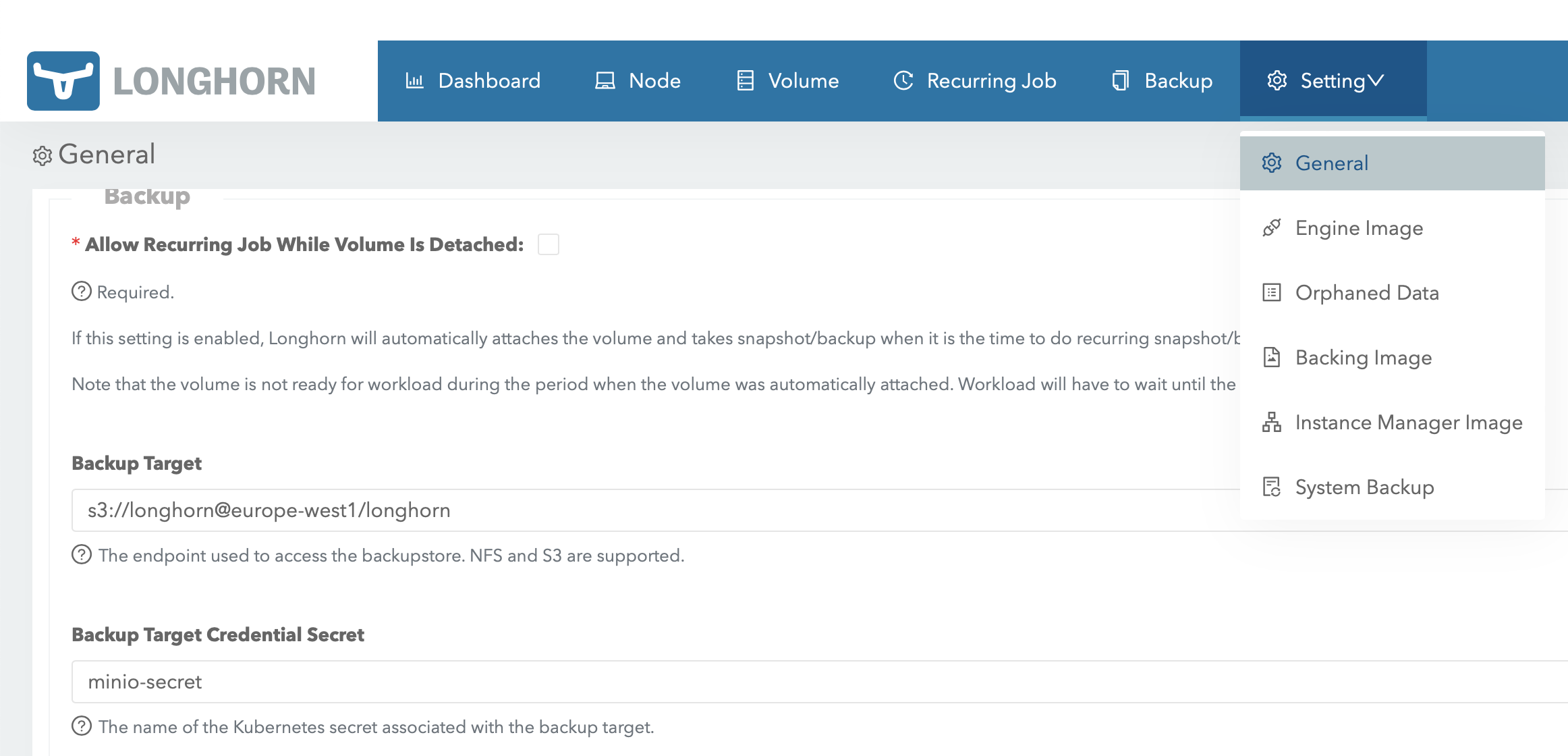
Compose a backup target endpoint URL that should follow this format: “s3://bucket_name@region/folder”. Home lab installations does not generally specify a region a dummy url can be used. Based on that format, the backup target URL can be:
s3://rancherbackups@europe-west1/longhorn
Add it to Settings->General section in longhorn:
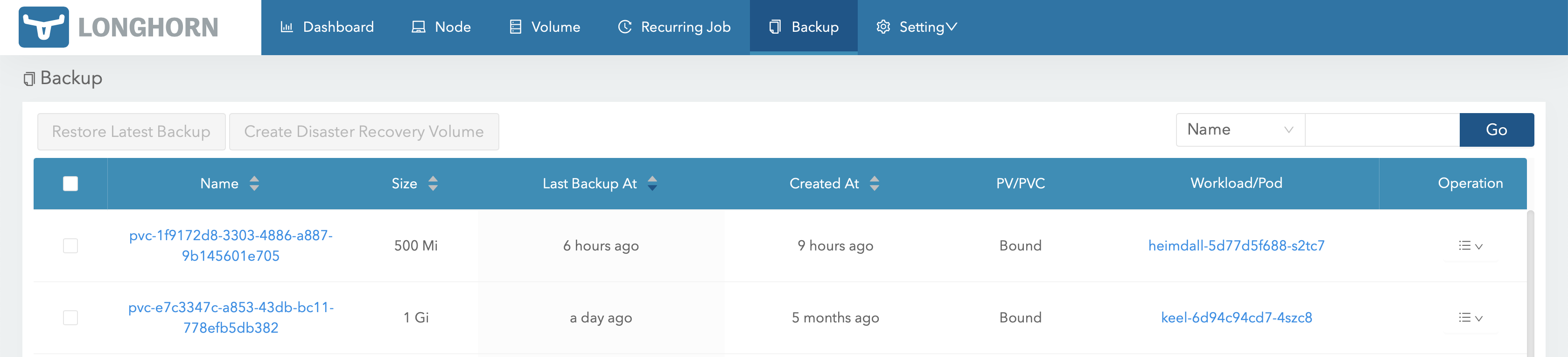
The backup option is now enabled for the volumes and can be managed in the gui:
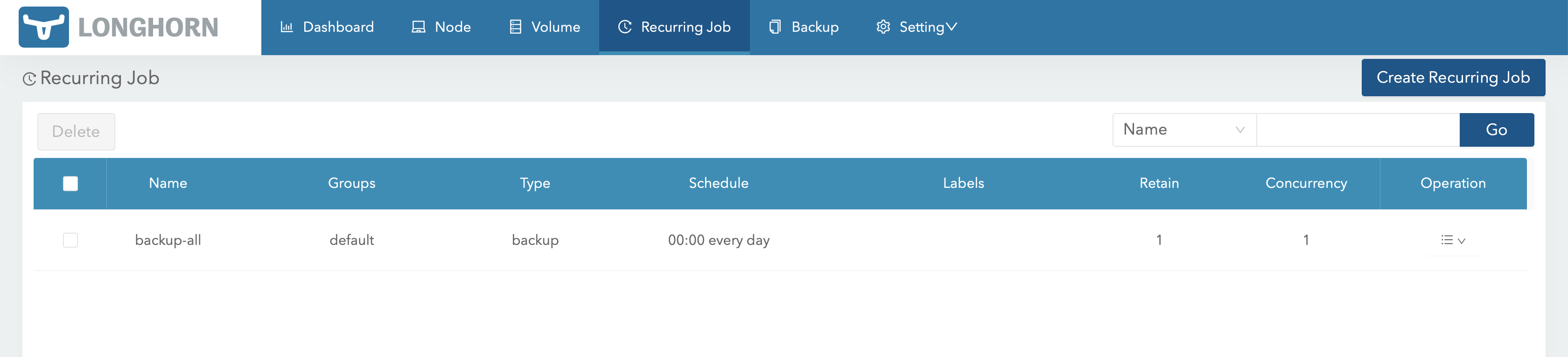
Automatic backup jobs can be scheduled i the Recurring Job section: